Smart Pet App Notification Issues: Fixes [Resolved]
-
sharoz rabbani
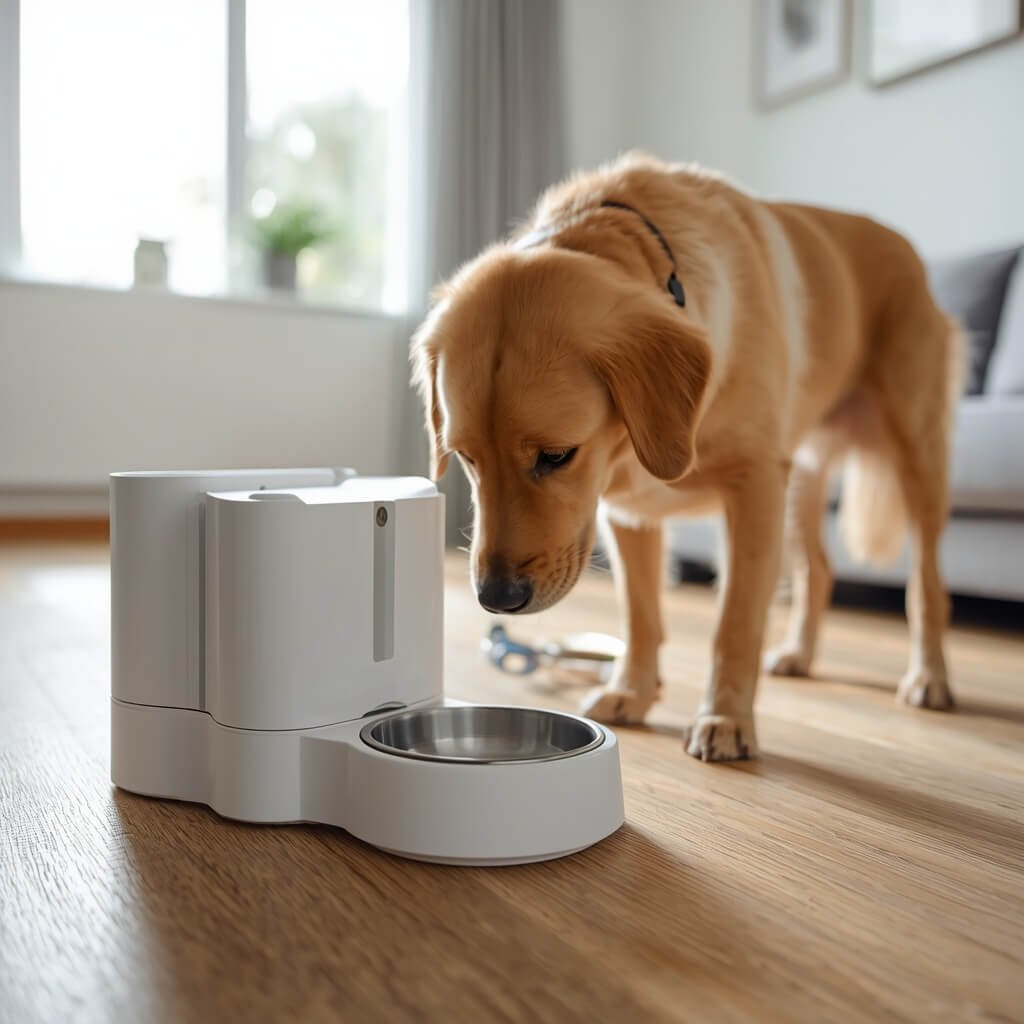
![Smart Pet App Notification Issues: Fixes [Resolved]](https://pawsitivepatch.com/wp-content/uploads/2026/08/img_smart-pet-app-notification-issues-fixes-resolved.webp)
Modern pet ownership often relies on smart devices to ensure our furry friends are well-cared for, even when we’re away. However, few things are as frustrating as encountering smart pet app notification issues. When your smart feeder, water fountain, or camera fails to send crucial alerts, it can lead to anxiety and missed opportunities to intervene if something is amiss. This comprehensive guide will walk you through the common causes behind these notification failures and provide actionable troubleshooting steps to restore reliable communication with your pet’s smart devices.
Understanding the Root Causes of Smart Pet App Notification Issues
Before diving into solutions, it’s crucial to understand why your smart pet app might not be sending alerts. These issues rarely stem from a single point of failure but rather a complex interplay of software, hardware, and network components. The problem could reside with your smartphone’s settings, the pet app itself, the smart device’s firmware, or your home network’s configuration. Identifying the specific culprit is the first step toward a lasting smart pet app fix.
Common Software Conflicts and Settings
One of the most frequent reasons for missed notifications involves incorrect software settings on your smartphone. Operating systems like iOS and Android have robust notification management systems designed to prevent app overload. If the smart pet app’s notifications are disabled at the system level, or if it’s restricted by battery optimization settings, alerts simply won’t reach you. Similarly, within the app itself, specific notification types might be toggled off, or a ‘do not disturb’ mode could be inadvertently active.
Network and Connectivity Challenges
Smart pet devices rely heavily on a stable internet connection, typically Wi-Fi, to communicate with their respective apps and cloud servers. A weak Wi-Fi signal, an overloaded network, or interference from other devices can disrupt this communication, preventing alerts from being pushed through. Furthermore, some smart devices are sensitive to 2.4GHz vs. 5GHz Wi-Fi bands, and an incompatible band can lead to intermittent connectivity or complete failure to send notifications.
Device Firmware and Server-Side Problems
Less common, but equally impactful, are issues related to the smart pet device’s firmware or the app’s backend servers. Outdated device firmware can contain bugs that prevent proper notification delivery. Manufacturers regularly release updates to address these, making regular firmware checks essential. On the app’s side, server outages or maintenance can temporarily halt notification services, affecting all users simultaneously. While these are usually resolved quickly by the provider, they can cause significant disruption.
Practical Action Plan: Troubleshooting Smart Pet App Notification Issues
When facing smart pet app notification issues, a systematic approach is key. Follow these steps to diagnose and resolve the problem, moving from the simplest checks to more involved solutions. This structured troubleshooting will help pinpoint the exact cause and implement an effective smart pet app fix.
- Check Your Smartphone’s Notification Settings: First, ensure notifications are enabled for the specific smart pet app. Go to your phone’s Settings > Apps (or Notifications) > [Your Smart Pet App] and verify that notifications are allowed, and any battery optimization or data saver features are not restricting the app’s background activity.
- Verify In-App Notification Preferences: Open the smart pet app and navigate to its internal settings or preferences. Confirm that all desired notification types (e.g., feeding alerts, motion detection, low battery) are enabled. Some apps have a master toggle for notifications, so check that first.
- Inspect Network Connectivity and Wi-Fi: Ensure your smart pet device is connected to a stable Wi-Fi network. Check your router’s status, reboot it if necessary, and confirm the device is within range. If your router supports both 2.4GHz and 5GHz bands, ensure your smart device is connected to the compatible 2.4GHz network, as many older smart devices do not support 5GHz.
- Reboot Devices and Reinstall the App: A simple reboot of your smartphone and the smart pet device can often resolve temporary glitches. If the problem persists, try uninstalling and then reinstalling the smart pet app. This can clear corrupted data and ensure you have the latest version.
- Update Firmware and Contact Support: Check for available firmware updates for your smart pet device within the app or on the manufacturer’s website. Outdated firmware is a common cause of connectivity and notification problems. If all else fails, contact the manufacturer’s customer support. They can provide device-specific guidance or inform you of any known server-side issues.
Hardware & Engineering: Preventative Care and Device Reliability
Beyond immediate troubleshooting, understanding the hardware and engineering aspects of your smart pet devices is vital for preventing recurring smart pet app notification issues. Investing in quality and maintaining your devices can significantly improve their long-term reliability and your peace of mind. A robust smart pet app fix often starts with the hardware itself.
The Hidden Costs of Unreliable Smart Pet Devices
Opting for cheaper, less reputable smart pet devices can lead to a cascade of problems. Poor build quality often translates to unreliable Wi-Fi modules, shoddy sensor components, and unstable firmware. These operational failure points manifest as dropped connections, inaccurate readings, and, most critically, inconsistent notification delivery. The hidden costs aren’t just monetary; they include the stress of constant troubleshooting, the anxiety of not knowing if your pet is being fed or monitored, and the potential health risks if a critical alert (like a low food warning) is missed for an animal on a strict diet.
Prioritizing High-Quality Alternatives and Maintenance
To mitigate these risks, prioritize smart pet devices from reputable manufacturers known for their robust engineering and consistent software support. Look for devices with:
- Stable Connectivity: Devices with strong Wi-Fi antennas and reliable chipsets that maintain a consistent connection.
- Quality Materials: Durable, pet-safe materials (e.g., food-grade stainless steel, BPA-free plastics) that withstand daily use and cleaning.
- Regular Firmware Updates: Manufacturers committed to regularly updating firmware to fix bugs and improve performance.
- Responsive App Development: An app that receives frequent updates, indicating active development and support for new operating system versions.
Beyond initial selection, regular maintenance is crucial. Keep devices clean, ensure power connections are secure, and promptly install firmware updates. These preventative routines are essential for a reliable smart pet app fix and consistent performance.
Critical Selection Criteria for Reliable Smart Pet Devices
When selecting new smart pet technology or evaluating your existing setup, applying specific criteria can help minimize future smart pet app notification issues. Pet parents should look beyond basic functionality and consider the underlying engineering and support that ensure consistent performance.
- App Stability and User Experience: A well-designed app is intuitive, responsive, and receives regular updates. Check app store reviews for common complaints about notifications, connectivity, or crashes. A buggy app is a major source of frustration and unreliable alerts.
- Network Compatibility and Reliability: Confirm the device’s Wi-Fi compatibility (e.g., 2.4GHz only, dual-band support) and ensure it integrates seamlessly with your home network. Devices that frequently drop connection or require constant re-pairing are inherently unreliable for critical alerts.
- Manufacturer Support and Warranty: Reputable brands offer comprehensive customer support, including troubleshooting guides, responsive technical assistance, and a reasonable warranty. Good support is invaluable when encountering complex notification problems that require expert intervention.
Prioritizing these benchmarks ensures you’re investing in a system designed for consistent performance, reducing the likelihood of future notification failures and providing a more dependable pet care experience.
Lifecycle, ROI, and Convenience: The Value of Reliable Smart Pet Alerts
The true value of smart pet technology extends beyond its initial purchase price; it lies in its long-term reliability, the convenience it offers, and the return on investment (ROI) it provides in terms of peace of mind and pet well-being. Consistently functioning alerts are central to this value proposition, making a reliable smart pet app fix a critical component of smart pet ownership.
Consider the lifecycle of a smart pet device over a 2-to-5-year period. A cheap, unreliable device might save money upfront, but the constant need for troubleshooting, missed alerts, and potential device replacements quickly erode any initial savings. The time spent trying to resolve smart pet app notification issues is a significant hidden cost. Furthermore, the anxiety caused by unreliable monitoring can negate the very convenience smart devices are meant to provide.
In contrast, investing in a high-quality smart pet device with a stable app and consistent notification delivery offers substantial ROI. You save time by avoiding frequent troubleshooting, gain peace of mind knowing your pet is monitored, and potentially prevent health issues by receiving timely alerts about feeding or activity. The convenience of remote monitoring and automated care is fully realized only when the system works flawlessly, making the initial investment in reliability a worthwhile long-term decision for both you and your pet.
Frequently Asked Questions
Why is my smart pet app not sending push notifications?
Push notification issues often stem from incorrect phone settings (like disabled app notifications or battery optimization), outdated app versions, unstable Wi-Fi connectivity, or internal app settings where specific alerts might be turned off. Checking these common areas systematically can usually resolve the problem.
What’s the first thing I should check if my smart pet app has notification issues?
The very first step is to check your smartphone’s system-level notification settings for the specific smart pet app. Ensure that notifications are enabled and that no “Do Not Disturb” or battery-saving modes are preventing the app from sending alerts in the background.
Can an outdated smart pet device firmware cause notification problems?
Yes, absolutely. Outdated firmware on your smart pet device can contain bugs or compatibility issues that prevent it from communicating effectively with the app or cloud servers, leading to unreliable or missed notifications. Always ensure your device’s firmware is up to date.
Final Verdict: Ensuring Reliable Smart Pet Monitoring
Addressing smart pet app notification issues is essential for harnessing the full potential of your smart pet devices and maintaining peace of mind. While short-term fixes like checking app settings and rebooting devices can often resolve immediate problems, a truly reliable solution involves a deeper understanding of connectivity, device quality, and proactive maintenance. Prioritizing robust hardware, regularly updating firmware, and ensuring your app settings are correctly configured are paramount.
Ultimately, the most important recommendation is to be proactive. Don’t wait until a critical alert is missed to troubleshoot. Regularly verify your notification settings and connectivity. By taking these steps, you can ensure your smart pet app provides consistent, reliable alerts, allowing you to provide the best possible care for your beloved companion.
Categories
Recent Post
Smart Pet Device Safety Checks: Essential Steps [Guide]
Smart Pet App Notification Issues: Fixes [Resolved]
![Luxury Smart Pet Home Integration: A Modern Guide [2026 Guide]](https://pawsitivepatch.com/wp-content/uploads/2026/08/img_luxury-smart-pet-home-integration-a-modern-guide-2026-guide.webp)
Luxury Smart Pet Home Integration: A Modern Guide [2026 Guide]
![Crafting Custom Meal Plans Smart Pet Feeders [Guide]](https://pawsitivepatch.com/wp-content/uploads/2026/08/img_crafting-custom-meal-plans-smart-pet-feeders-guide.webp)
Crafting Custom Meal Plans Smart Pet Feeders [Guide]
Tags
- app-troubleshooting, device-connectivity, notification-problems, pet-tech-support, smart-pet-alerts
Social Share
Continue Reading
Related Posts
Smart Pet Device Safety Checks: Essential Steps [Guide]
Perform smart pet device safety checks to prevent mechanical failures, electrical hazards, and app glitches for your pets.
Luxury Smart Pet Home Integration: A Modern Guide [2026 Guide]
Elevate your living space with luxury smart pet home integration. Discover how to seamlessly blend advanced tech with sophisticated design for your beloved companions.
Crafting Custom Meal Plans Smart Pet Feeders [Guide]
Craft custom meal plans smart pet feeders for optimal pet health. Personalize portions, automate schedules, and ensure precise smart pet nutrition.
Smart Pet Door Security Features: An Advanced Guide
Explore advanced smart pet door security features to protect your home and pets. Learn about biometric access, enhanced locking mechanisms, and remote monitoring for ultimate